01–07 · About 5 minutes
Software now has three experiences to design for.
Humans get a UX. Developers get a DX. The newest reader gets an AX — and most platforms haven’t built one yet.
01 — Three experiences
UX. DX. AX.
AX isn’t UX simplified, or DX automated. It’s a third reader with its own requirements.
02 — What this looks like
Things you can now just ask for.
Each of these is a real sentence someone can type into an AI coding assistant today.
❭ Connect Claude Code — or any MCP-compatible assistant — to your EigenVertex account, right from your terminal.
One command and a normal login — then it can query your data, ingest new content, and build an integration into your own app.
❭ Install EigenVertex on this Ubuntu server.
The assistant reads the deployment knowledge, asks what it doesn’t know, and installs it.
❭ Configure EigenVertex for a private VPC, no external traffic.
The assistant adjusts the deployment itself, not just a settings page.
❭ Integrate EVTX into this Next.js app.
The assistant wires the API client, auth and error handling — not a generic snippet.
❭ Build an EVTX chat panel inside our existing dashboard.
The assistant generates components, streaming and styling that match the app, not a demo.
❭ Add a chat panel to our app, backed by one of our Constellations.
The assistant mounts the shared relay SDK server-side and drops in a thin chat client — the API key never reaches the browser.
❭ Why is this EVTX deployment slow today?
The assistant reads the runbooks, checks the architecture, and reports what changed.
None of these are chatbot tricks. They’re tasks an assistant can actually finish.
03 — Bring your own coding agent
Your data, in your agent — in one command.
EigenVertex now exposes a remote MCP server, reachable by any MCP-compatible assistant with nothing more than the user’s own EigenVertex login — no local server, no infrastructure access.
For the first time, we connected Claude.ai, Claude Desktop and Claude Code to a live EigenVertex Cloud account this way: a real OAuth login, real tools, real data — cross-account isolation tested and proven.
A real prompt, validated end to end
❭ Add a chat panel to this app, backed by my EigenVertex Constellation.
No architecture diagram, no glue code written by hand — the agent builds it.
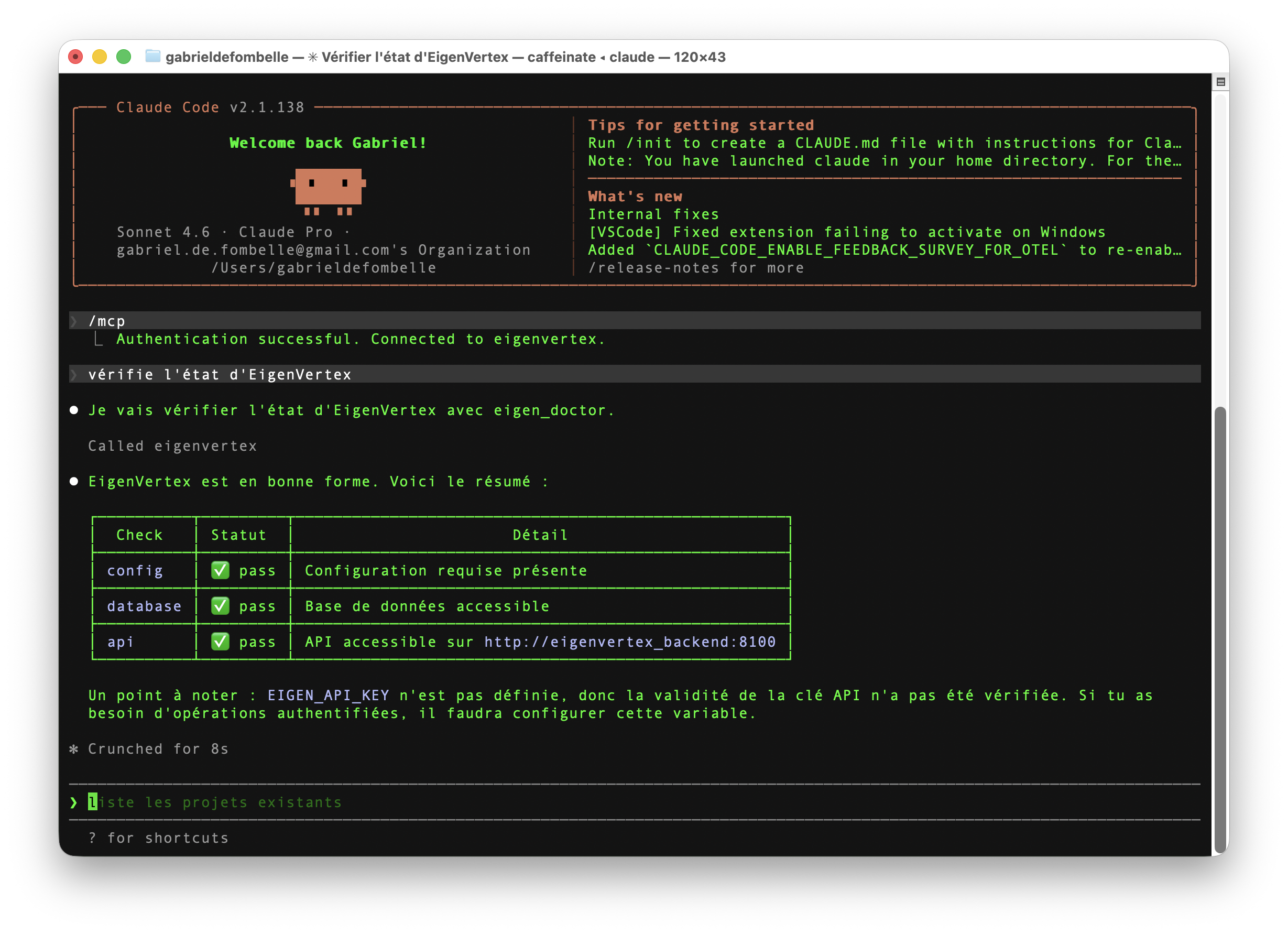
This isn’t a diagram of what agent access could look like. It’s a terminal, a real account, and a real answer.
04 — The Agent Kit
A second set of docs — written for a reader that doesn’t skim.
Human documentation is written to be read in order, with judgment filling the gaps. An agent doesn’t fill gaps — it needs the gap itself written down.
The EVTX Agent Kit is a structured set of knowledge assets built for that reader: precise, scoped, and meant to be executed against, not just read.
Two audiences, not one
The commands below are the eigen CLI — an operator’s tool, for a self-hosted or admin deployment. If you’re a Cloud customer, you don’t need any of it: your way in is the Cloud Quickstart, over MCP or the relay SDK, no infrastructure required.
Read the Cloud Quickstart →eigen /
Every command speaks JSON — built to be read by a script or an agent, not a human squinting at a terminal. One skill file tells an assistant when to reach for which command, what the common failure modes are, and what’s still a known gap rather than a silent assumption. It was corrected in place, in public view of its own test suite, every time reality disagreed with the plan — that’s the actual agent experience, not a diagram of one.
05 — Executable documentation
Documentation an assistant can run, not just read.
A human reads install.md and does the work. An assistant reads install.md and does the work too — the difference is it can ask, decide and act in the same pass.
That’s the whole idea behind executable documentation: the document isn’t a description of the task. It’s close enough to the task that an agent can execute it directly.
“Install EigenVertex on this Ubuntu server.”
The assistant isn’t guessing from a blog post. It’s following the same source a human engineer would have used.
06 — From API to agent
The API is the foundation. The Agent Kit is what’s built on it.
Each layer below is a real, separate building block — not a rebrand of the one above it.
The API was never the ceiling. It was the foundation everything else here gets built on.
07 — What’s next